
Digital Accreditation
- Digital Encryption
- Digital Certificate
- Certification of 369 Authority
What is a Digital Accreditation?
This is the process of formally verifying and recognizing online MADIBA369 technology, education, and programing to ensure quality, integrity, and standards. It also refers to secure, verifiable digital certificates and badges used to instantly prove professional underwriting and development skills for RADC Benefits.
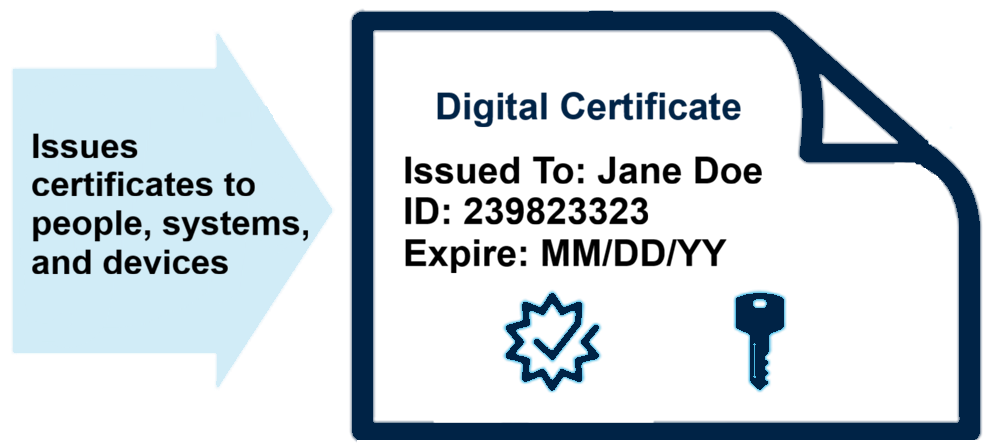
A MADIBA digital certificate is a small computer file. It is used to establish a relation between both the members and their public keys. A digital certificate contains two things, i.e. the name of the member, their value, and public key. So that we can identify that the particular key belongs to the particular user.
The information secured by a digital certificate contains is as follows:
- Program Name
- Other data like email, phone, etc
- Issuer name: Sponsor or Program
- Public key
- Serial number
- Valid from date
- Valid to date
- Source of Value
- CA
MADIBA Certificate of Authority
The administrator confirms and certifies the MADIBA completion as an online reference data and Certificate of Authority. A Certificate of Authority is a formal legal document (e.g., a “Certificate of Good Standing” or “International Qualification”) issued by the program, allowing issuers to operate under a certified authority for clearing and settlement.
Purpose:
- Authenticate investment records
- Verify issued credentials
- Digitally sign certifications
- Validate investment completion
- Protect record integrity
Step 1 – Key Generation
In this step, a key is generated. A key can be generated using two approaches.
Approach 1:
Members can create a private and public key pair using the software. Members must keep their private key secret. A member sends the public key with additional information to the Corporate Registered Administrator (CRA) as an intermediate between the MADIBA and the member.
Approach 2:
A CRA generates a key pair for a user. The possibility of this approach is needed when the user is unaware of the technical and software knowledge. The disadvantage of this approach is CRA can find out the private key of the member.
Step 2 – Registration
This step is required only if the member generates the pair of keys. If a CRA generates the pair of a key for the students, then key registration is done in the 1st step only. A member sends his/her public key and some other information to the CRA. This software provides a wizard where members enter details and submit. Then the data travel through the network and reach the CRA. After that students request for the certificate will be registered, and the format for the certificate request will be standardized. This process is called a CSR (Certificate Signing request).
Step 3 – Certificate Signing Request CSR
A Certificate Signing Request (CSR) is an encoded text file sent to the program managers to apply for a digital SSL/TLS certificate. It contains student’s identifying information (like personal name, domain name and company details) and your public key, which is verifies and uses to issue your certificate
Step 4 – Verification
After the registration process is complete, CRA identifies the member credentials.
Step 5 – Certificate Creation
After all the above-mentioned processes were completed, CRA passed all the details to the administrator. The administration electroncally cross-verifies all the details and generates a digital certificate for the member. The Academy sends the certificate to the member and keeps one copy of that to keep the records. The Copy of the certificate is stored in the certificate directory.